
Play Dunk City Dynasty on PC and Mac
Download Dunk City Dynasty on PC or Mac with MuMuPlayer, get a PC like gameplay along with smart control and high graphics performance.
MuMuPlayer, the top Android emulator for PC and Apple silicon Mac, delivers an optimal gaming experience with minimal RAM usage and high FPS. It also allows you to create multiple instances of the emulator and run several games simultaneously, thanks to its Multi-instance feature. Its advanced emulator features ensure smooth gameplay, even on low-end PCs.
Download and play Dunk City Dynasty on PC or Mac with MuMuPlayer and start enjoying your gaming experience now.
About the Game
Dunk City Dynasty is an NBA and NBPA licensed 3v3 streetball mobile game where you can takeover the streets with NBA superstars like Stephen Curry, Kevin Durant, Paul George,Luka Dončić, James Harden and many more! With different teams to choose from, you can dive into exciting game modes like 11-point, Full Court 5v5, and Ranked matches for hours of entertainment.

You can also team up with friends or customize your favorite players' outfits, from NBA jerseys to stylish streetwear, to create a unique look.

Join the Dunk City Dynasty and experience the exciting NBA competition on the streets with your friends today!

[OFFICIALLY LICENSED BY THE NBA AND NBPA STREET BASKETBALL MOBILE GAME]
Licensed by NBA and NBPA, Dunk City Dynasty lets you dominate the streets with your favorite stars! Enjoy smooth controls to pull off signature moves like deep threes, poster dunks, and step-back jumpers, all while recreating those iconic NBA moments!

[DIFFERENT TEAMS, BUILD YOUR DREAM LINEUP]
Pick your squad from NBA teams like the Golden State Warriors, Los Angeles Lakers, New York Knicks, Houston Rockets, Miami Heat, Milwaukee Bucks and Portland Trail Blazers. Pick from basketball stars including Stephen Curry, Kevin Durant, Paul George, James Harden andLuka Dončić and more! The best part? You can train and upgrade your players’ skills as you watch them grow.

[FOLLOW US]
Official Website:https://www.dunkcitymobile.com/
Facebook: https://www.facebook.com/dunkcitydynastyGLO/
X: https://x.com/intent/follow?screen_name=citydynastyglo
Instagram:https://www.instagram.com/dunkcitydynastyglobal/
YouTube:https://www.youtube.com/@dunkcitydynastyGLO
TikTok: https://www.tiktok.com/@dunkcitydynastyglobal?lang=en
Discord:https://discord.gg/kaESvZBb8t
Emulator Features

With a smart button scheme and image recognition function, provide a more concise UI, and support custom button mapping to meet different needs.

Run multiple games independently at the same time, easily manage multiple accounts, play games while hanging.

Break through FPS limit, and enjoy a seamless gaming experience without lag and delay!

Get a 3-second startup with 52% less memory usage and 65% more stability.
How to Download and Play Dunk City Dynasty on PC and Mac
Installation Guide
Download MuMuPlayer
Download and install MuMuPlayer on your PC or Mac
Sign-in Google Store
Complete Google sign-in to access the Play Store
Search and Install
Search Dunk City Dynasty in the Play Store
Enjoy Gaming
Enjoy 120 FPS high-def gameplay with big screen
System Requirements
Windows PC
Vulkan / DirectX supported. 4 cores + 4GB RAM recommended. Up to 240 FPS. VT required.
macOS
Recommended: Apple Silicon Mac with 8GB RAM or above. Up to 240 FPS.
Get more news, guides and redeem codes about Dunk City Dynasty
Dunk City Dynasty Best 3v3 Teams 2026 - Meta Compositions That Win Games
Dunk City Dynasty Super League Guide - Manager Mode vs Control Mode Explained
Paul Pierce Guide in Dunk City Dynasty - Is He Worth It & Best Ways to Use Him?
Allen Iverson Guide in Dunk City Dynasty - Best Build, Stats & Team Compositions
Dunk City Dynasty 1st Anniversary Guide - All Events, Rewards & Best Strategies (2026)
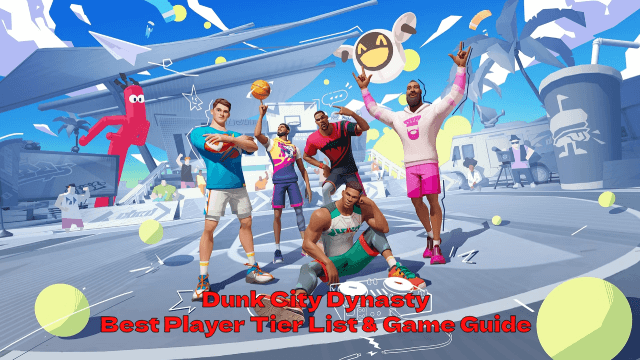
Dunk City Dynasty Best Player Tier List & Game Guide - Unlock Your Team's MVP Potential!