Play The Division Resurgence on PC and Mac
Download The Division Resurgence on PC or Mac with MuMuPlayer, get a PC like gameplay along with smart control and high graphics performance.
MuMuPlayer, the top Android emulator for PC and Apple silicon Mac, delivers an optimal gaming experience with minimal RAM usage and high FPS. It also allows you to create multiple instances of the emulator and run several games simultaneously, thanks to its Multi-instance feature. Its advanced emulator features ensure smooth gameplay, even on low-end PCs.
Download and play The Division Resurgence on PC or Mac with MuMuPlayer and start enjoying your gaming experience now.
About the Game
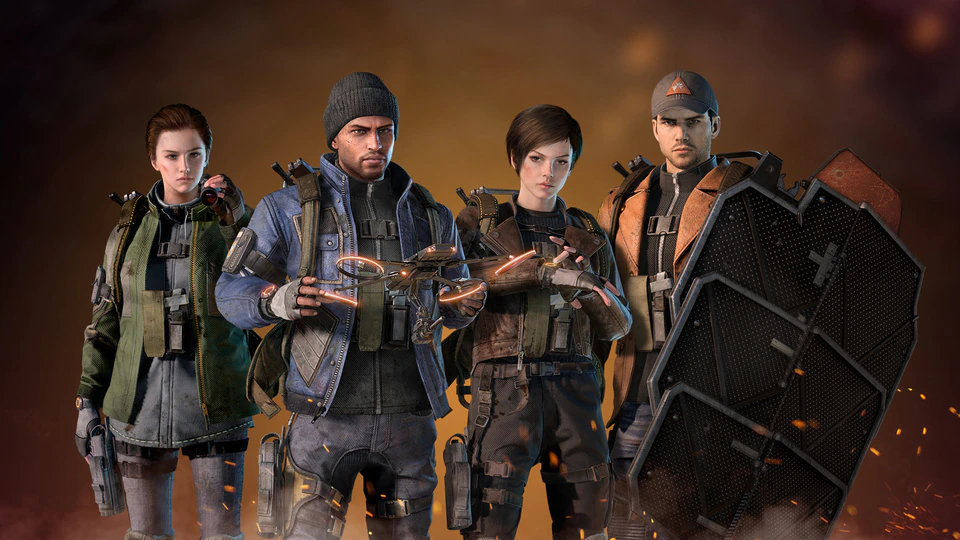
The Division Resurgence is a free-to-play third-person shooter RPG set in the first massive urban open world. It offers the same acclaimed HD AAA experience tailored to mobile but in a whole new opus with a lot of new content: storyline, classes, enemy factions…

The Division Resurgence offers a whole new and independent campaign from Tom Clancy’s The Division 1 and Tom Clancy’s The Division 2, offering a new perspective on key story events. It takes place in a contemporary post-crisis America where a virus outbreak has created chaos and the collapse of the government. As an agent of the « Strategic Homeland Division » your mission is to restore order, to protect civilians against hostile factions, and to help them build a better future.
Emulator Features

With a smart button scheme and image recognition function, provide a more concise UI, and support custom button mapping to meet different needs.

Run multiple games independently at the same time, easily manage multiple accounts, play games while hanging.

Break through FPS limit, and enjoy a seamless gaming experience without lag and delay!

Get a 3-second startup with 52% less memory usage and 65% more stability.
How to Download and Play The Division Resurgence on PC and Mac
Installation Guide
① Download and install MuMuPlayer on your PC or Mac. It will identify automatically your current system and download the latest version.
② Start MuMuPlayer and complete Google sign-in to access the Play Store, or do it later.
③ Search The Division Resurgence in the Play Store.
④ Complete Google sign-in (if you skipped step 2) to install The Division Resurgence.
⑤ Once installation completes, click the The Division Resurgence icon on the home page to start the game.
⑥ Enjoy playing The Division Resurgence on your PC or Mac with MuMuPlayer.